


LineStar DFS & Props Optimizer
4.6182.00 Reviews
App Specs
- Version
- 3.7.2
- Updated On
- License
- Free
- Downloads
- 10,000+
- Developer
- BetFully, Inc.
- Categories
- Sports
- Platform
- Android
Screenshots
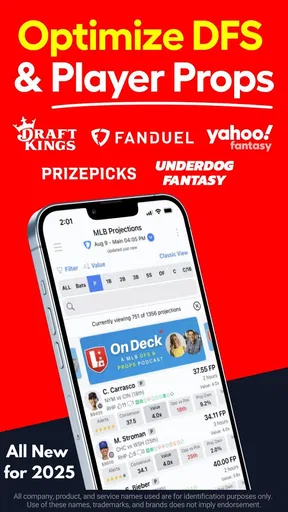
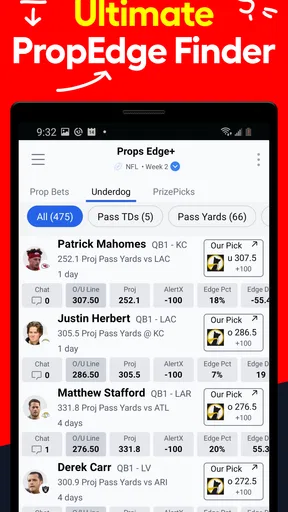

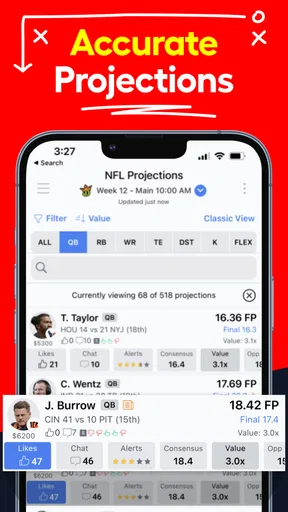
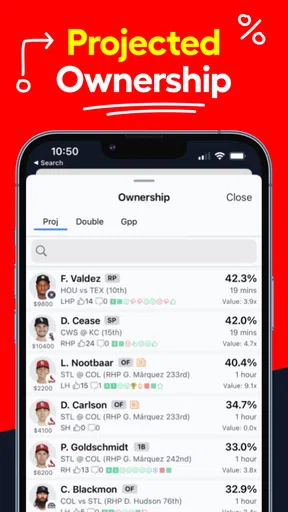
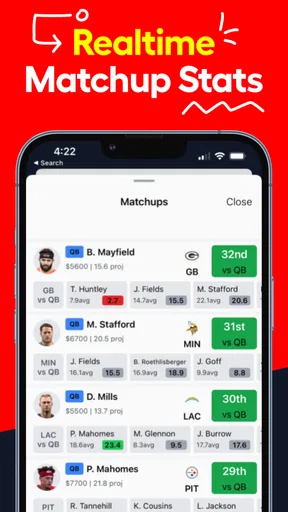
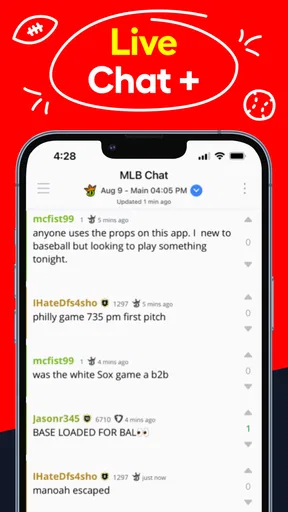
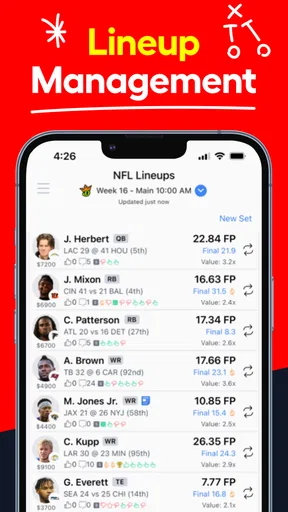
 Analysis by AppCompare
Daily fantasy sports can turn a short slate of games into a lot of decisions: which players to consider, how to balance a lineup, and when a projection should influence your instincts. I find LineStar DFS & Props Optimizer most useful as a decision-support tool rather than a promise of better results. It is a sports app from BetFully, Inc., built for people who want help organizing DFS choices and examining player props.
Where LineStar fits in a DFS routine
The practical appeal is speed and structure. Instead of treating every player choice as a separate research project, I can use an optimizer to compare options and make the lineup-building process more deliberate. The app’s focus on handling many DFS lineups also points to its strongest audience: players who manage several entries and want a repeatable workflow, not someone making one casual pick now and then.
A realistic use case is a busy evening before a slate locks. I might check the available player information, build or review a few lineups, and use the tools to spot where my choices are concentrated. That last step matters: an optimized result can still leave several entries relying on the same assumptions. I would treat the output as a starting point, then check whether the lineup fits my contest and comfort with risk.
LineStar is best used to organize decisions, not outsource them. Projections and optimization can help narrow a crowded field, but they cannot remove uncertainty from sports or guarantee a winning result. I would avoid treating a suggested lineup as an instruction to enter every contest or stake more than I normally would.
What's the Buzz About LineStar?
So, first things first, what exactly is LineStar DFS & Props Optimizer? In a nutshell, it's an app designed to help DFS enthusiasts like us optimize our lineups and work through fantasy sports decisions. The app is in the sports category, and its toolkit combines lineup work with player props. The current version is 3.6.4, while the app’s release history reaches back to Aug 26, 2015. That gives existing users a reason to see it as an established product, though a version number by itself does not tell me which individual tools changed or how the interface has evolved.
For a new user, the distinction between DFS lineup building and props is worth understanding before diving in. They are related sports-analysis activities, but they answer different questions: one is about assembling a fantasy lineup, while the other concerns expectations for an individual player. I would choose the part of the app that matches my actual routine instead of assuming I need to use every tool at once.
A Deep Dive into Features
Let's talk features. The app is packed with them! One of the standout tools is the lineup optimizer. It uses powerful algorithms to sift through tons of data and spit out the best possible lineup based on your preferences. Trust me, it’s like having a personal sports analyst in your pocket. You just tell it what you’re looking for, and boom, it does the heavy lifting for you.
Worth Reading Before You Choose

Baby Panda World Brings Quick Play to Modern Phones, but Its Game Library Feels Busy

ESPN’s Live Game View Makes Following Close Games Easier

QuizzLand Review: A Good Fit for Short Trivia Breaks, Not Every Player

Basketball Stars: Multiplayer Is Fast, but Can It Recover When Matches Go Wrong?

WEBTOON Turns Phone Updates Into a Better Reading Routine

Link to Windows Runs on Shared Habits, Not Social Feeds
Another cool feature is the player props. If you're into betting, this is gold. The app gives you player projections and helps you decide which prop bets to take. It's like getting inside tips without the shady backroom deals.
Building lineups without losing your own judgment
The non-obvious benefit of an optimizer is not simply receiving a suggested combination; it is being able to compare a set of possibilities more consistently than you might by memory. When I use this kind of tool, I would first decide what I want to test, then inspect how the resulting lineups differ. If several options keep leaning on the same player or game, that is useful information about the shape of the recommendations—but it is also a reason to pause and decide whether I want that exposure.
For people managing a group of entries, a sensible workflow is to separate lineup generation from final selection. I would generate options, remove any that do not fit the contest I intend to enter, and then review the remaining choices rather than submitting the first result automatically. This small discipline helps keep an optimizer from turning a personal preference into an unnoticed repeated assumption.
Props call for a different kind of restraint. A projection can help me frame a question, but it should not make a bet feel certain. I would compare the app’s view with my own understanding of the player and the situation, and skip a prop when I cannot explain why I find it compelling. The useful outcome is sometimes deciding not to act.
User Experience: Smooth Sailing or Rocky Waters?
Now, let’s chat about using the app. The interface is surprisingly user-friendly. Even if you’re not tech-savvy, you’ll find it pretty easy to navigate. Everything is laid out in a way that makes sense, and the design is clean and modern. Plus, the app is pretty snappy; it didn’t crash or lag on me, which is always a win.
The only hiccup I ran into was the initial setup. There’s a bit of a learning curve when you’re first getting started, but once you get the hang of it, it’s smooth sailing. There are tutorials and guides within the app that help, but a bit of patience goes a long way.
What the learning curve means in practice
I would give myself time to understand the setup before relying on LineStar close to a contest deadline. The first session is better spent learning how the app organizes its tools and what choices I can make than rushing to build entries. That is especially helpful for someone who has not used an optimizer before: the goal is to understand why a lineup appears, not just where to tap.
Compared with building every lineup manually, an optimizer can reduce repetitive sorting and make it easier to review several combinations. Compared with a simple scores or news app, it is more specialized and asks the user to engage with fantasy decisions rather than just follow games. If all I want is live scores or general sports coverage, I would choose a different kind of app; LineStar’s appeal is specifically its DFS and props focus.
There is also a trade-off in relying on a purpose-built tool. It can make a process feel more precise, but the polished presentation does not remove the need to check whether the assumptions suit the contest I am entering. I would keep my own notes about why I chose a lineup, particularly if I am testing a new approach, so I can judge the process later rather than crediting or blaming the app for a single result.
Who should use it—and who may not need it
I would recommend trying LineStar to a regular DFS player who wants a more organized way to examine lineup choices, especially someone handling multiple entries or who is curious about player props. It can also suit a newcomer willing to learn the setup and use the recommendations as guidance. The free price makes it possible to start without paying upfront, while in-app purchases range from $9.99 to $239.99 per item, so I would check the purchase choices carefully and decide what, if anything, is worth paying for to me.
On the other hand, a casual sports fan who rarely builds fantasy lineups may not get enough value from a specialized optimizer. Nor would I suggest it to anyone expecting guaranteed returns or a shortcut around learning contest rules and risk. The content rating is Everyone, but the props angle is still a reminder to approach betting-related decisions thoughtfully; an age label should not be mistaken for advice about whether wagering is suitable.
Is It Worth the Investment?
You might be wondering if the app is worth the price. Well, here’s the scoop: LineStar is free to download, with in-app purchases available. The free starting point is useful for getting familiar with the app, but I would not assume that every paid option is necessary. Before spending, I would identify which part of my workflow is actually limited and check whether a purchase addresses that need. The available in-app purchase prices range from $9.99 to $239.99 per item, so it is worth taking a moment to review costs rather than treating payment as an automatic next step.
Think of it this way: the premium subscription is like upgrading from coach to first class on a flight. You get more comfort, more perks, and a better overall experience. If you’re committed to DFS, it’s definitely worth considering.
How I would judge the value over time
I would judge value by whether LineStar saves me useful time or helps me make more consistent choices—not by whether one lineup happens to win. A player who uses the optimizer often may find the workflow more worthwhile than someone who opens the app occasionally. I would also revisit my spending decision after learning the free experience, rather than paying because I feel that more tools must mean better results.
For existing users, the current version number offers a useful reference point when checking that the app is up to date, but I would not infer particular new features from the number alone. The release date shows the product has been around for years; what matters to me day to day is whether the current experience still fits the sports and lineup tasks I actually want to handle. If the workflow feels cumbersome or does not match my contest habits, switching to manual lineup building or a simpler tool may be the better choice.
Final Thoughts: Should You Give It a Go?
All in all, if you’re into DFS or considering jumping in, LineStar DFS & Props Optimizer is a must-try. It’s packed with features that make lineup building easier and more efficient, and the user-friendly interface is a big plus. While there’s a bit of a learning curve at the start, the benefits far outweigh the initial setup time.
So, why not give it a shot? Dive into the world of DFS with some help from LineStar, and who knows, you might just find yourself at the top of the leaderboard. Happy gaming!
What I would watch as I keep using it
For me, the useful things to watch are practical rather than speculative: whether the app remains comfortable to navigate, whether its lineup workflow suits the contests I enter, and whether I can explain the reasoning behind my choices after using its tools. Those checks help distinguish an app that genuinely supports my routine from one that merely gives me more screens to consult.
LineStar has an average rating of 4.6 from around 1.1 thousand ratings, with about 180 written reviews and over 10 thousand installs. Those figures suggest a real audience for a focused DFS tool, but I would still decide based on my own needs. If I want help structuring lineup decisions and exploring props, I would give it a careful try; if I only want general sports updates or expect certainty, I would look elsewhere.
Pros
- User-friendly interface for quick navigation.
- Real-time updates for accurate projections.
- Customizable player alerts for personalized tracking.
- Integration with multiple DFS platforms.
- Comprehensive player analytics and insights.
Cons
- Subscription required for full feature access.
- Occasional lag during high traffic times.
- Limited support for minor DFS platforms.
- No offline mode available for use.
- Interface can be cluttered for new users.
FAQs for LineStar DFS & Props Optimizer
What features does LineStar DFS & Props Optimizer offer?
LineStar DFS & Props Optimizer provides a comprehensive suite of tools designed to enhance your fantasy sports experience. It includes player projections, lineup optimizers, and advanced analytics. Users can also access real-time updates and notifications about player status, ensuring they make informed decisions for optimal lineups.
Is LineStar DFS & Props Optimizer user-friendly for beginners?
Yes, LineStar DFS & Props Optimizer is designed with a user-friendly interface that caters to both beginners and experienced users. The app provides tutorials and guides to help new users understand how to navigate its features and make the most of the data provided to improve their fantasy sports strategy.
How accurate are the player projections in LineStar DFS & Props Optimizer?
The player projections in LineStar DFS & Props Optimizer are generated using a combination of advanced algorithms and expert analysis. While no projection can guarantee 100% accuracy, the app is known for its reliable and consistent data, helping users make better-informed decisions when setting their lineups.
Does LineStar DFS & Props Optimizer support multiple sports?
Yes, LineStar DFS & Props Optimizer supports a variety of sports, including football, basketball, baseball, and more. This makes it a versatile tool for fantasy sports enthusiasts who participate in multiple leagues across different sports, allowing them to manage all their fantasy needs in one place.
Are there any subscription fees for using LineStar DFS & Props Optimizer?
LineStar DFS & Props Optimizer offers both free and premium subscription options. The free version provides basic features, while the premium subscription unlocks advanced tools and deeper analytical insights. The premium option is ideal for users who want to maximize their fantasy sports success with comprehensive data access.


